



Dark Mode Habit Tracker Spreadsheet: Daily, Weekly, Monthly (Excel & Google Sheets Template)
$1.90
Habit Tracker Spreadsheet Template | Google Sheets & Excel 365 Template
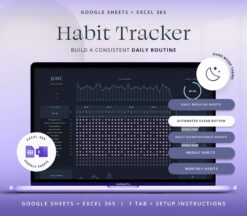
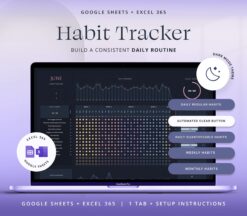
Build better habits, boost consistency, and stay organized with the Dark Mode Habit Tracker Spreadsheet — your personal accountability system designed for Google Sheets and Excel 365.
Perfect for tracking routines, fitness, sleep, mood, or productivity in a clear, distraction-free layout.
►Why You’ll Love It
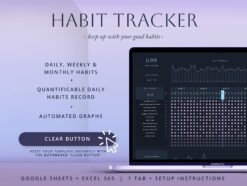
Stay consistent with daily, weekly, and monthly tracking options
Dark mode design that’s comfortable for night use
Visual summaries of your progress and streaks
Fully customizable habit list to match your goals
Works seamlessly on Google Sheets and Excel 365
►Track Habits That Matter
Create your own habit list and monitor progress across different timeframes:
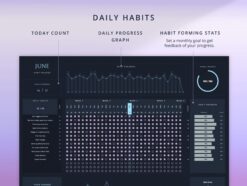
Daily habits – track everyday routines and build momentum
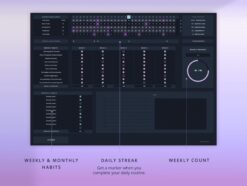
Weekly habits – perfect for recurring goals
Monthly habits – plan and review high-level objectives
Earn streak markers each day you complete your full daily list and measure overall consistency each month.
►Quantifiable Habits Section
Ideal for tracking measurable goals such as:
– Sleep hours
– Water intake
– Exercise time
– Screen time
– Mood or energy levels
Includes:
Daily value input for measurable habits
Color-coded heat map to spot trends
Automatic averages, highs, and lows
Customizable charts to visualize your progress over time
►Highlights
– Clean, dark-mode layout for focused tracking
– Visual streaks and progress dashboards
– Customizable categories for any lifestyle
– Simple and intuitive setup
– Works with any month or year
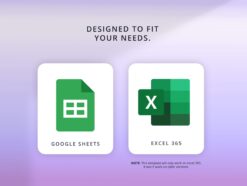
►IMPORTANT !This spreadsheet is only compatible with Google Sheets or Excel 365. It won’t work with older versions of Excel or Numbers.
►What’s Included
You’ll receive a ZIP file containing:
A PDF with the access link to your Google Sheets version
Excel 365 templates (clean and sample with mock data)
Setup instructions for quick installation
Fonts for your Excel version
►You will need
• A device to access Google Sheets or Excel365
• A Free Google Account (for Google Sheets).
• Basic computer knowledge.
►How to access the template
1. Purchase the template.
2. Receive an email from etsy to access your purchase .
3. Download the Zip File with the link to your spreadsheet (Do it on the computer or mobile browser as files are not available on the Etsy app).
4. Access the template and start planning.
More info on digital downloads and how to access them in Etsy’s help centre .
►DISCLAIMER:
// Please note that this is a digital download and does not include physical product //
//The financial templates and tools don´t constitute financial advice or a recommendation. The mock text and the images are intended as examples of usage and informational purposes only, and users should seek professional advice before acting on it. //
//For personal use only, this item cannot be resold, redistributed, or used for any commercial purposes//
If you have any questions don´t hesitate to contact me through direct message. I´m always happy to help. © FutureTaxes
Only logged in customers who have purchased this product may leave a review.
Reviews
There are no reviews yet.