



Notion Medication Tracker, Medicine Tracker, Pill Organizer, Symptom Tracker, Daily Medication Tracker, Medical Planner, Supplement Tracker
$24.99
Can you relate?
Managing multiple medications, tracking dosages, and remembering expiration dates can quickly become overwhelming. Between juggling prescriptions, keeping tabs on stock levels, and monitoring symptoms, it’s easy to lose track of your daily medication log. Whether you’re on a strict medication schedule or simply want a clear overview of your supplements, staying organized is essential for your well-being.
Enter: NotionMadeEasy’s Medication Tracker.
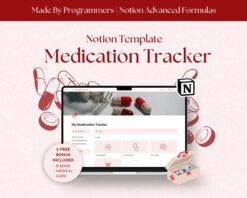
This Notion medical tracker is designed to simplify how you organize and track your medicine. From logging doses to managing restocks, tracking symptoms, and monitoring expiration dates, this tool ensures you never miss a dose and always stay on top of your health. Whether it’s for daily medication or supplements, this Notion template helps you keep everything in check effortlessly.
With this Medication Tracker, you’ll have:
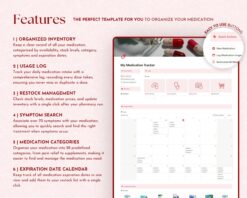
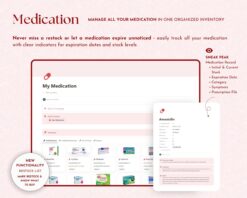
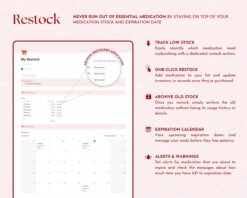
– Comprehensive medication inventory: View all your medications in one place, sorted by category, availability, expiration date, and stock levels, so you know exactly what’s on hand and what needs to be restocked.
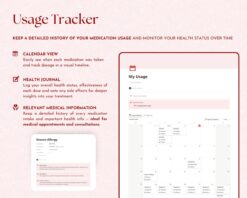
– Medication log: Track each time you use a dose, with automatic updates to stock levels to ensure you’re always aware of how much medication you have left.
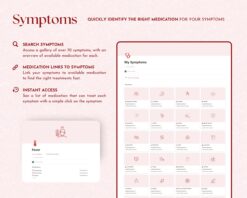
– Symptom tracker: Easily associate medications with specific symptoms for better management and understanding of your treatment plan.
– Restock management: Stay ahead of your medication needs with a clear restock list and expiration date calendar, ensuring you’re never out of essential medication.
– Calendar view for medication tracking: View your daily doses in a calendar format, tracking past and upcoming medication schedule to stay on track with your health routine.
With this Notion medicine tracker, you can effortlessly manage your medications, track symptoms, and keep your health on track. Stay organized, stay healthy, and take control of your medication routine today. 💊✨
### Compatibility
This Notion Template works seamlessly with:
✔️ The Notion App (Requires a free Notion account)
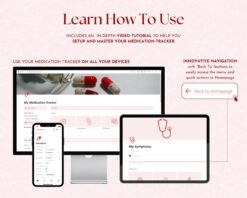
✔️ Any device with internet access (Desktop, Tablet, or Smartphone)
Need help getting started with Notion?
You will receive a PDF guide explaining how to easily setup your free Notion account, if you don’t have one already!
—
### How Does It Work?
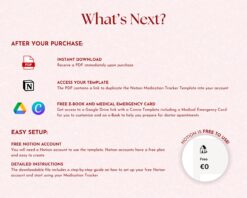
✔️ Purchase and Download Instantly via Etsy
✔️ Open the Template via the provided link
✔️ Duplicate it to your workspace (top-right corner) and start planning!
—
### Why Choose NotionMadeEasy Templates?
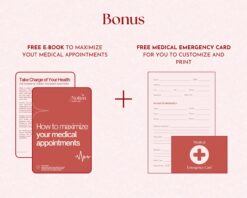
1. Exclusive Bonus eBooks: All our planners include a custom eBook to help you get the most out of your planning experience, according to the template topic.
2. Video Tutorials: Each template comes with a clear and concise video guide made 100% by us to help you hit the ground running.
3. Developed by Software Engineers: As certified programmers and Notion enthusiasts, we bring a unique, functional and professional touch to every template.
4. Notion Certified Creators: We’re officially recognized by Notion for our expertise.
5. Personal Touch: Created by a couple who met in a coding academy – Raquel, who loves painting with acrylics, and António, a fantastic cooker!
—
### What Will You Receive?
– A PDF file with links to:
✔️ Your Notion Template (ready to duplicate)
✔️ Bonus materials, including eBooks and Canva resources (where applicable)
This Notion Template for productivity is a DIGITAL ITEM, which you can access immediately after purchase and start using it – Nothing will be sent to you physically.
—
### COPYRIGHT NOTICE
This product is for personal use only. Redistribution, reselling, or any other commercial use is strictly prohibited. Protecting our intellectual property helps us continue to create high-quality resources for you.
—
### Need Help?
If you have any issues or need a custom solution, please contact us at [notionmadeeasy@gmail.com](mailto:notionmadeeasy@gmail.com). We’re here to ensure you have the best experience possible!
Only logged in customers who have purchased this product may leave a review.
Reviews
There are no reviews yet.