




Weekly Daily Planner Spreadsheet Dark Mode Daily Task Tracker for Google Sheets Weekly Daily To Do List Excel Productivity Planner Template.
$2.90
Dark Mode Daily Planner Template | Excel & Google Sheets Spreadsheet
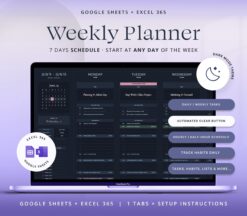
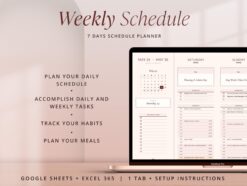
Stay organized and in control of your time with this 7-Day Weekly Daily Schedule Planner — perfect for managing your day-to-day tasks, habits, and goals in Excel or Google Sheets. Whether you’re planning your workweek, tracking habits, or organizing meals, this digital planner keeps everything in one clean, customizable space.
🗓️ Plan Smarter, Live Better:
With this planner, you can:
• Organize your hourly or half-hourly schedule
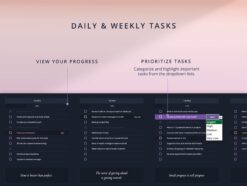
• Manage daily & weekly tasks
• Track habits effortlessly
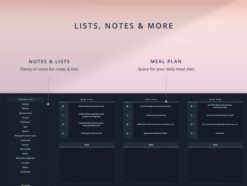
• Plan your meals
• Jot down notes, lists, and grocery items
🔍 Key Features:
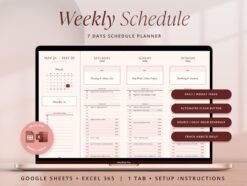
→ Left Sidebar Dashboard
– Preview your week with an integrated calendar
– See today’s date at a glance
– Track weekly tasks & habits
– Add notes or grocery lists
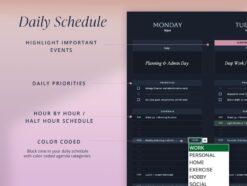
→ Customizable Daily Agenda
– Choose your preferred time span (hourly or half-hourly)
– Block time using color-coded categories
→ Smart Task Management
– Prioritize tasks with dropdown menus
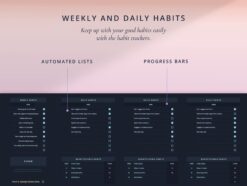
– Visual progress bars for easy tracking
→ Daily & Weekly Habit Tracker
– Build routines and stay consistent
→ Meal Planning & Notes
– Plan your meals for each day
– Extra space for notes and reminders
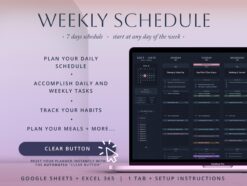
→ Clear Button Feature
– Instantly reset your template to start a new week
– Just duplicate the sheet and hit CLEAR
Perfect for: students, professionals, parents, freelancers, and anyone looking to bring structure and clarity to their week.
🖥️ Compatible with Google Sheets & Excel 365
👉 Start planning smarter and get more done, every day of the week!
►IMPORTANT !This spreadsheet is only compatible with Google Sheets or Excel 365. It won’t work with older versions of Excel or Numbers.
How it works:
❶ Set Up Your Planner: Select your day to start, Weekday and hour.
❷ Catgories: Customize agenda and task categories.
❸ Habits: Add your habits to track daily and weekly.
You are all set to start planning your week!
►FILES INCLUDED:
• A ZIP File that contains:
– A PDF with a link to the google sheets template.
– Excel365 Clean Template.
– Excel365 Sample Template (With mock data)
– Fonts for your Excel template.
►YOU WILL NEED:
• A device to access Google Sheets or Excel365
• A Free Google Account (for Google Sheets).
• Basic computer knowledge.
►HOW TO ACCESS THE TEMPLATE:
1. Purchase the template.
2. Receive a mail from etsy to access your purchase .
3. Download the Zip File with the link to your spreadsheet (Do it on the computer or mobile browser as files are not available on the Etsy app).
4. Access the template and start planning.
More info on digital downloads and how to access them in Etsy’s help centre .
►DISCLAIMER:
// Please note that this is a digital download and does not include physical product //
//The financial templates and tools don´t constitute financial advice or a recommendation. The mock text and the images are intended as examples of usage and informational purposes only, and users should seek professional advice before acting on it. //
//For personal use only, this item cannot be resold, redistributed, or used for any commercial purposes//
If you have any questions don´t hesitate to contact me through direct message. I´m always happy to help. © FutureTaxes
Only logged in customers who have purchased this product may leave a review.
Reviews
There are no reviews yet.